Getting a WordPress website online is straightforward. Getting search engines to properly understand, crawl, and index its important pages requires more work.
You need control over page titles, meta descriptions, canonical URLs, XML sitemaps, structured data, redirects, indexation rules, breadcrumbs, social metadata, and other technical details. Managing all of these manually can become difficult, especially as a website grows.
That is where a WordPress SEO plugin becomes useful.
The best SEO plugins for WordPress bring many of these controls into one dashboard and reduce the amount of manual technical work required. Some focus heavily on content optimization, while others provide stronger schema, WooCommerce, local SEO, or automation features.
This guide talks about six popular plugin options and explains which type of website each one suits best.
Quick Picks
- Best overall for features: Rank Math SEO
- Best choice for content-heavy websites: Yoast SEO
- Best for businesses and eCommerce stores: All in One SEO
- Best suited for agencies and developers: SEOPress
- Best for a simple, automated SEO setup: The SEO Framework
- Best if you want minimal setup and configuration: Slim SEO
Why Use an SEO Plugin for Your WordPress Website?
While WordPress does a pretty good job when it comes to search-friendly sites, its default install doesn’t provide all the fine-grained controls needed for every individual SEO task.
Dedicated experience SEO plugins make those controls simpler to manage.
Depending on the plugin you select, you can enable:
- SEO Titles & Metas customizable
- Generate XML sitemaps
- Set canonical URLs
- Add structured data
- control settings with index or noindex
- Create and manage redirects
- Configure breadcrumbs
- Optimize WooCommerce pages
- Preparing Open Graph and social production
- Manage robot directives
- Find internal linking opportunities
- Connect search performance tools
The SEOPress plugin does not do SEO itself. You can give the toolkit you need to make your SEO strategy work right.
What Should You Look for in a WordPress SEO Plugin?
First, consider what your website needs rather than focusing on which individual plugins you want to compare.
- SEO Titles & Meta Descriptions: Good SEO plugin must have features to create title tags and meta descriptions for blog posts, service pages, product categories, and other important types of content. You should also be able to develop default templates so you do not have to change each page manually.
- XML Sitemap: An XML sitemap is used to help search engines discover the URLs you want them to crawl. While WordPress does have basic XML sitemap functionality, full-featured SEO plugins will typically allow you to better manage things like which post types, taxonomies, images, or any other content deserves to be seen in the sitemap.
- Schema Markup—Structured data provides more context to search engines about a given page. Relevant schemas could vary based on your website.
- Article
- Product
- Local Business
- Organization
- Person
- Breadcrumb
- Event
- Recipe
While composing the latest schema can also help qualified pages qualify into some of those rich search results, just because you add schema doesn’t mean Google will serve them.
- Canonical URL Handling: Similar or duplicate URLs can confuse search engines about which page should be treated as the preferred version.This is where canonical tags come in as they convey that preference. A top-notch SEO plugin will provide sensible defaults, but manual changes can be made when necessary.
- Redirect Management: When you delete a page or change its URL, visitors and search engines need to get redirected to the best alternative wherever applicable. If you want to manage 301 and other redirects without manually editing the server configuration files, you can use a redirect manager.
- Robots and Identification Controls — Not every URL should be part of the search results.The SEO plugin you are using should provide you with the ability to control whether a single page, an archive, a taxonomy or other area can be indexed.
- WooCommerce SEO: If you run an online store, there are specific necessities for optimizing using WooCommerce. If you have WooCommerce installed, test to see if the plugin supports things like product metadata, structured data and markup for various eCommerce features such as product categories, breadcrumbs, canonical settings and other controls.
1. Rank Math SEO
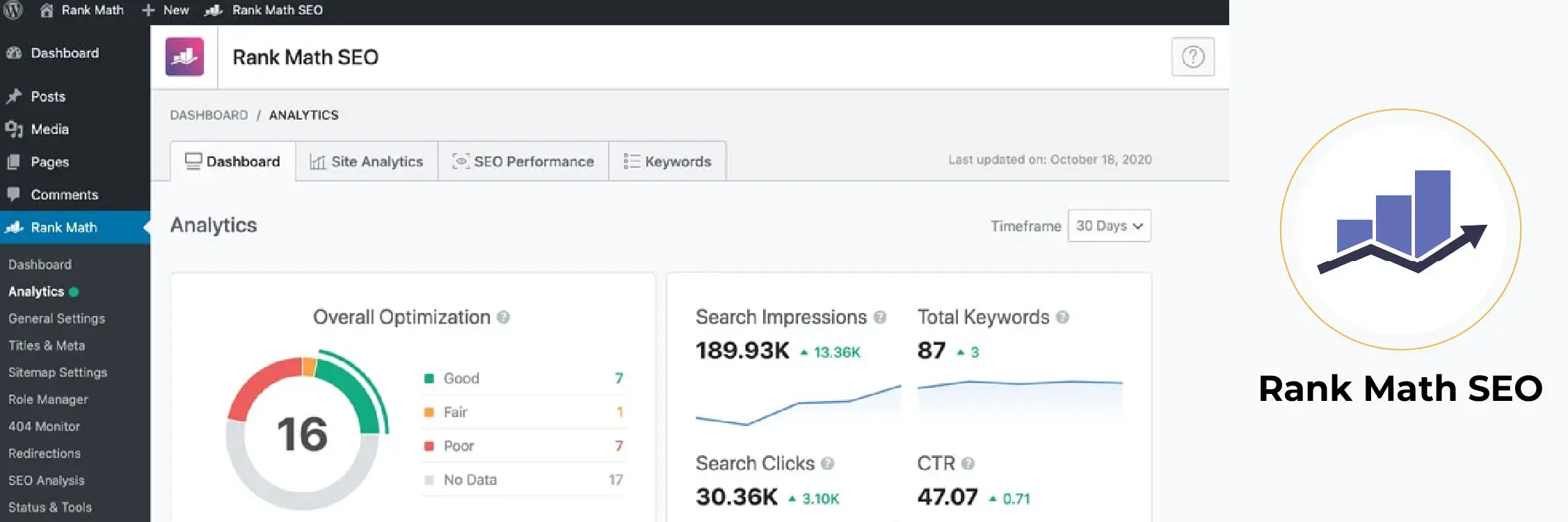
Rank Math combines a large set of on-page and technical SEO tools inside one WordPress plugin.
It includes customizable XML sitemaps, schema tools, robots controls, SEO analysis, redirects, a 404 monitor, snippet previews, bulk SEO editing, and an installation wizard. Rank Math further adds more modules, enabling you to activate features as per your needs.
This makes it especially appealing for website owners who would otherwise require various standalone plugins.
Key Features of Rank Math
SEO Meta Titles and Descriptions
- XML sitemaps
- Schema markup
- Content analysis
- SEO analysis tools
- Redirect manager
- 404 monitoring
- Robots’ meta controls
- Snippet previews
- Local SEO options
- WooCommerce SEO
- Bulk SEO editing
- Google-related integrations
- SEO data migration tools
Best For
Blogs, business websites, WooCommerce stores, agencies, and users who just want all-round capability for SEO in a single plugin.
What to Consider
Rank Math has an abundance of settings and modules that you may choose to activate. This level of flexibility can be useful, but new users should strive to avoid enabling features just because they exist.
Configure only what your site actually needs.
2. Yoast SEO
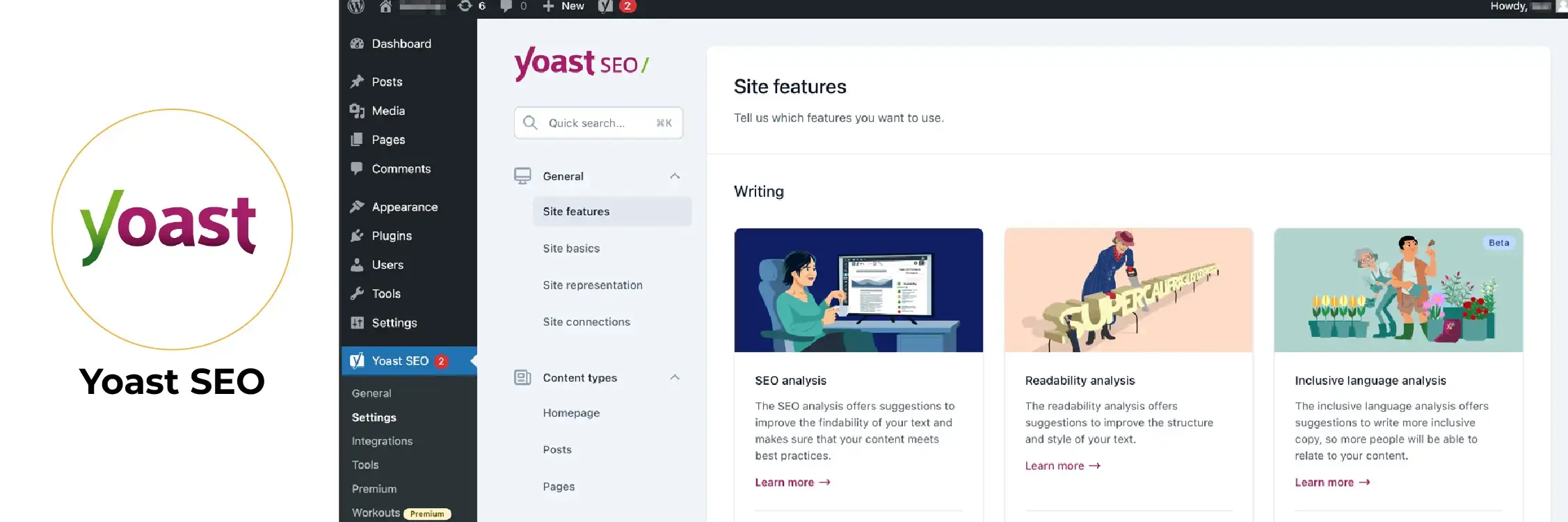
Yoast SEO has been in the WordPress SEO ecosystem for a long time now and is still the favorite among content sites.
Content analysis is one of their most robust categories. It gives you feedback in real time as you write, checking keyphrase use and focusing on metadata, links, and other aspects of on-page optimization. The familiar traffic-light system gives easy-to-understand optimization recommendations.
Yoast also continues to expand its dashboard and structured data capabilities. Its current dashboard can bring SEO and readability scores together with Search Console and Analytics data through Site Kit.
Key Features of Yoast SEO
- SEO titles and meta descriptions
- XML sitemaps
- Canonical URL management
- SEO content analysis
- Readability analysis
- Schema support
- Breadcrumb controls
- Social metadata
- Search appearance controls
- Internal linking features in premium offerings
Best For
Blogs, publishers, editorial websites, and teams that want clear guidance while creating content.
What to Consider
Do not treat the green traffic-light score as a ranking target.
Even if a page adheres to every plugin suggestion, it can still lag in rankings if search intent isn’t met, helpful information is lacking, or the competition with stronger pages do not help one’s cause
3. All in One SEO (AIOSEO)
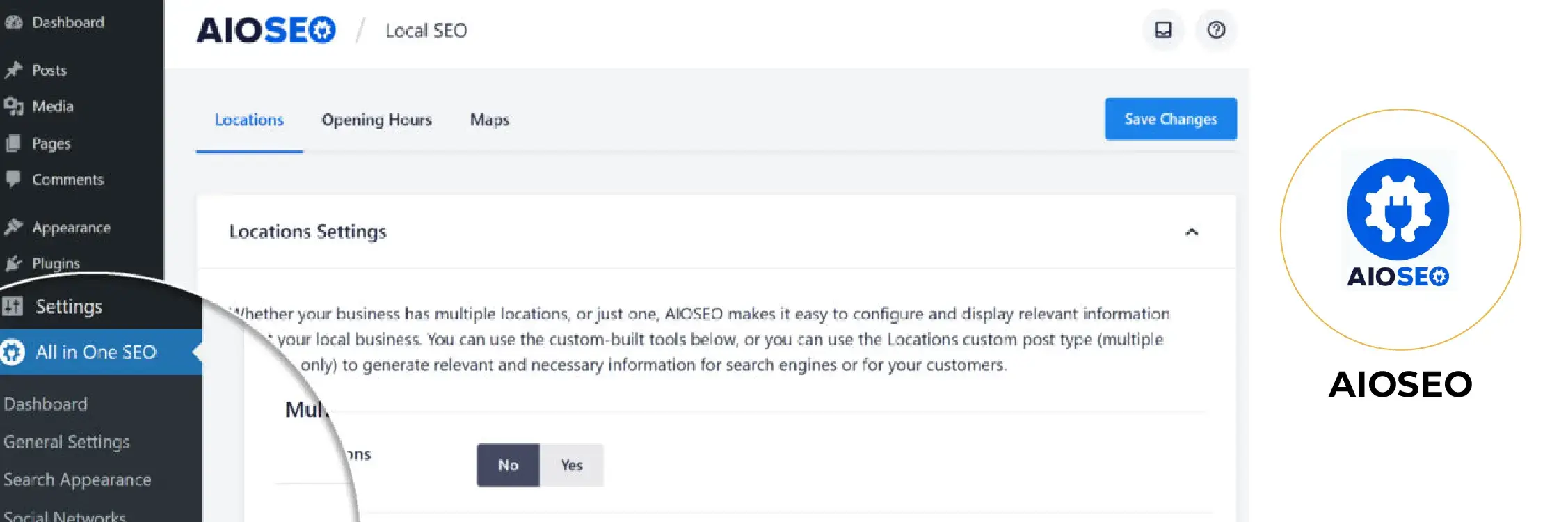
All in One SEO (AIOSEO)—A full-fledged toolset for business websites, local companies, publishers, and WooCommerce stores.
That being said, it has smart XML sitemaps, schema markup, local SEO, WooCommerce SEO, and robots. Robots, redirects, broken link tools, Search Console integration, internal linking support, search stats, and other technical SEO features.
It arranges all these tools in one interface, making the plugin a suitable option for businesses that want most of the SEO functions without installing separate plugins.
Key Features of AIOSEO
- Manual control of the SEO title and description
- XML sitemaps
- Schema markup
- Local SEO tools
- WooCommerce SEO
- Redirect manager
- Robots.txt controls
- Broken link checking
- Search statistics
- Link Assistant
- Webmaster tool integrations
- Image SEO options
Best For
Businesses (from solopreneurs to large teams), local companies, WooCommerce stores, marketing teams and anyone who likes an extensive all-in-one toolbox.
What to Consider
AIOSEO has both free and premium capabilities. And since some of its more advanced tools are only available in paid plans or as add-ons, check what you really need before upgrading.
4. SEOPress
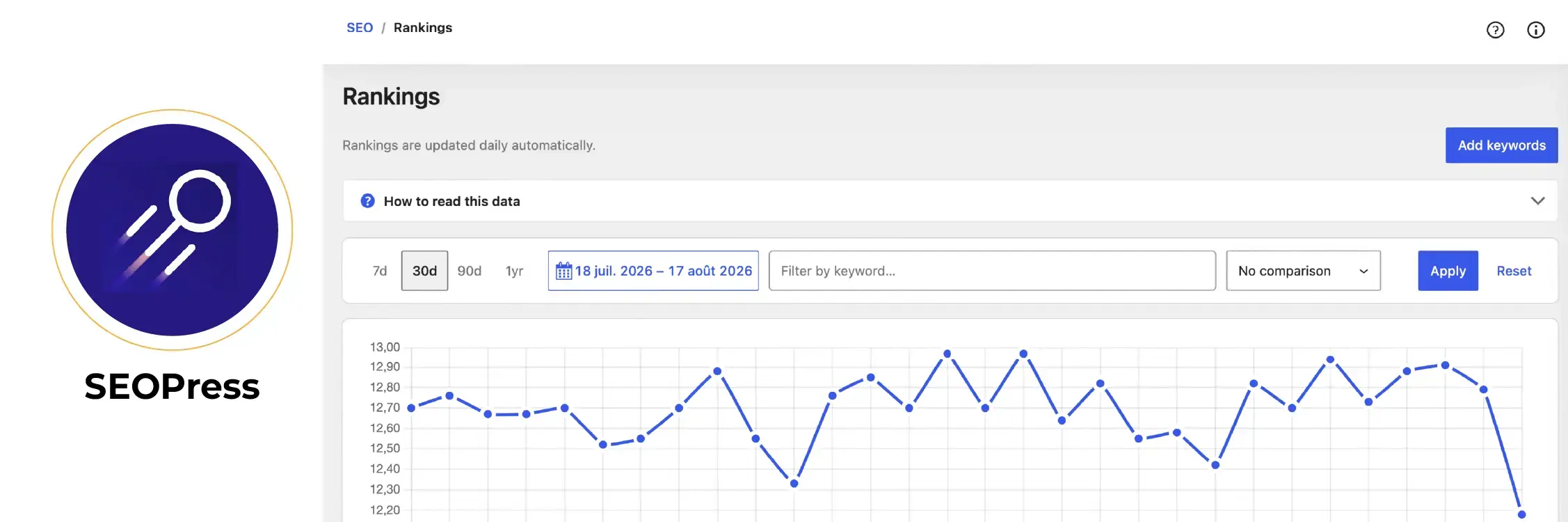
SEOPress offers strong technical controls while keeping its interface relatively clean.
Its free version includes tools for managing SEO titles and descriptions and XML and HTML sitemaps. Its broader feature set includes schema, redirects, breadcrumbs, analytics integrations, local SEO, WooCommerce SEO, robots controls, and image-related optimization depending on the selected plan.
The Best All-in-One WordPress Plugin (includes image metadata and attachment settings)—SEOPress is another product that offers optimization of images within your site.
Combining these elements makes for an irresistible value proposition to developers and agencies who manage multiple WordPress installations.
Key Features of SEOPress
- SEO titles and descriptions
- XML sitemaps
- HTML sitemaps
- Image sitemap support
- Schema markup
- Redirect management
- Breadcrumb settings
- Analytics integrations
- Local SEO
- WooCommerce SEO
- Robots.txt controls
- Social metadata
Best For
Agencies, developers, multilingual websites, businesses, and users who want strong controls without an overly busy dashboard.
What to Consider
The free edition covers many common requirements, while advanced functionality may require SEOPress PRO.
5. The SEO Framework
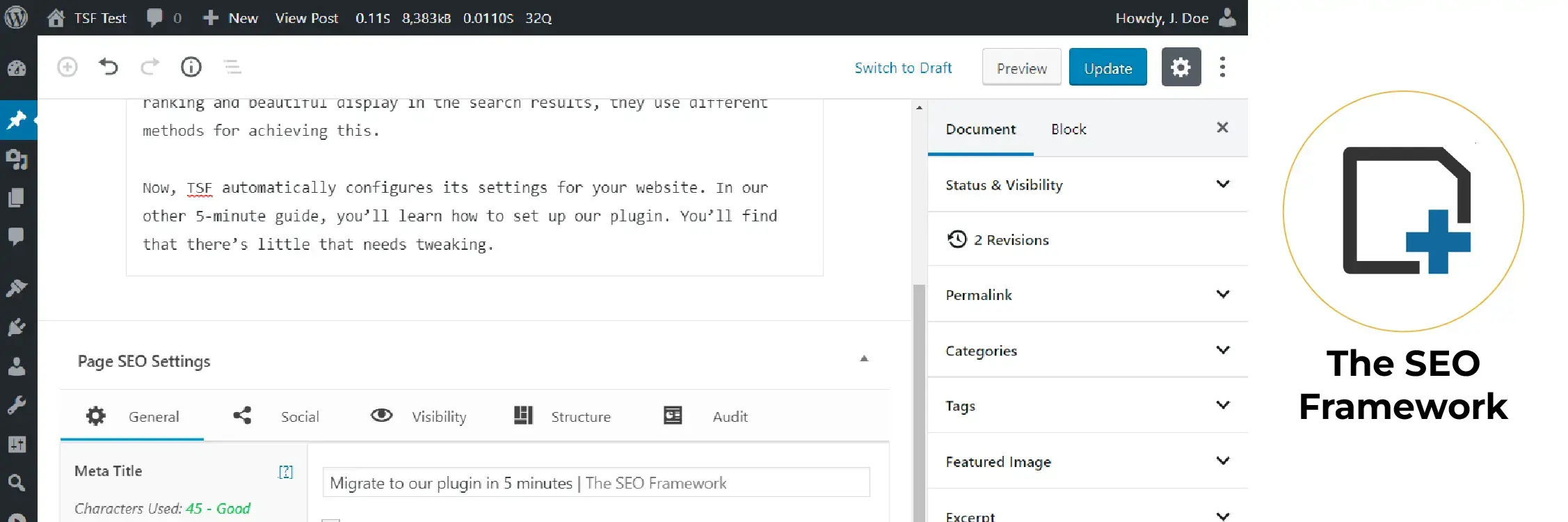
Unlike many of the SEO plugins that bombard you with scores, alerts, and content recommendations, the SEO Framework has a different approach.
It’s far more weighted towards sensible automation and a simplified interface.
Its tools include those for editing titles and descriptions, canonical URLs, robots directives, XML sitemaps, Open Graph data, social metadata, structured data breadcrumbs, and many more technical SEO-related settings.
Subsequent versions expanded its graph schema, controlled canonical robots.txt, Technical functionality, breadcrumb support, etc.
The SEO Framework Features
- Automated metadata
- Manual controls for title and description
- Canonical URLs
- XML sitemaps
- Robot directives
- Schema. org graph
- Breadcrumbs
- Open Graph data
- Social metadata
- SEO overview tools
- Clean interface
Best For
Suitable for Developers, Experienced Site Owners, Business Websites, and Users With Automated Forms Over Continuous Optimization Prompting
What to Consider
The SEO Framework gives you fewer step-by-step tips on what specific things to include in your content than Yoast or Rank Math.
That can be an advantage for the seasoned pro, but it might feel less nurturing to someone learning SEO as a first-time endeavor.
6. Slim SEO
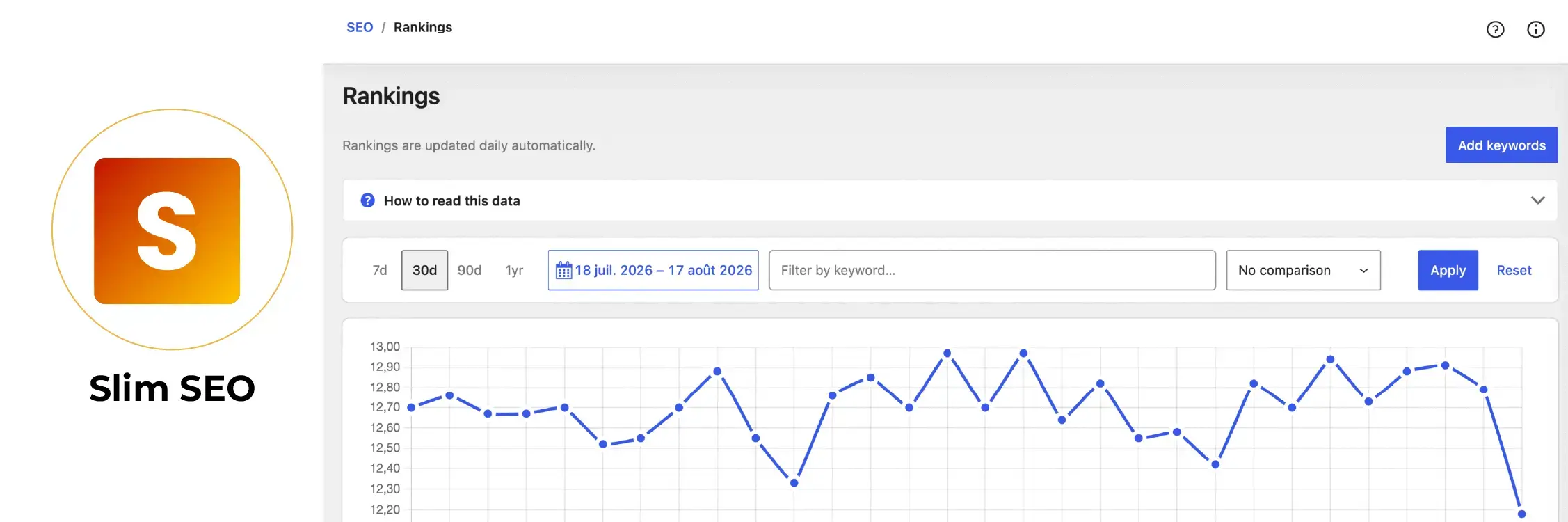
Slim SEO is built around automation and minimal setup.
Rather than presenting users with a long configuration process, it aims to handle many common SEO tasks automatically.
Its current ecosystem supports management of metadata, canonical URLs, noindex settings, and other SEO information. Slim SEO has also added integrations that allow supported AI tools to read or update selected SEO data through WordPress’s newer capabilities.
It also works with most page builders & multilingual plugins, including Elementor, Divi, WPML, Polylang, and TranslatePress.
Key Features of Slim SEO
- Automatic metadata
- XML sitemaps
- Structured data
- Canonical URLs
- Breadcrumbs
- Social metadata
- Redirect-related functionality
- Page builder integrations
- Multilingual integrations
- Minimal configuration
Best For
For beginners, small site owners, and users looking for the SEO basics but without spending too much time on setups.
What to Consider
If you need to fine-tune every technical SEO setting, you might want a more comprehensive plugin.
Quick Comparison of the Best SEO Plugins for WordPress
| Plugin | Main Strength | Free Version | Best For |
| Rank Math SEO | Broad SEO feature set | Yes | Businesses, blogs, agencies |
| Yoast SEO | Content and readability guidance | Yes | Blogs and publishers |
| AIOSEO | Business and eCommerce SEO | Yes | Businesses and WooCommerce |
| SEOPress | Flexible technical controls | Yes | Agencies and developers |
| The SEO Framework | Automation and clean interface | Yes | Experienced users |
| Slim SEO | Minimal setup | Yes | Beginners and smaller sites |
Rank Math vs. Yoast SEO—Which Is Best?
This is one of the most often-made word-class comparisons when it comes to picking a WordPress SEO plugin.
Rank Math is usually for people who want a huge collection of tools, modules, schema controls, redirects & technical options, and analysis features in one place.
If you want someone to help you write and optimize your content, Yoast SEO is for you. One of its most recognizable features is the SEO and readability analysis.
Neither plugin is automatically better for every website.
Choose Rank Math when feature depth and technical flexibility matter more. Choose Yoast when your workflow revolves heavily around writing, editing, and content optimization.
Best SEO Plugin for Blogs
In the case of blogs and content-rich websites, both Yoast SEO and Rank Math are excellent choices.
Yoast brutally tells writers how readable or optimized their writing is while they write.
With Rank Math you get content analysis along with a more powerful suite of technical tools.
Use Yoast’s focused writing workflow if you’re a small editorial team, or pick up the wider technical features in Rank Math for a bigger website.
Best SEO Plugin for WooCommerce
An eCommerce SEO plugin should do more than edit product titles.
Look for:
- Product schema
- Product metadata
- Category optimization
- Canonical controls
- Breadcrumbs
- XML sitemap controls
- Redirect management
- Indexation controls
- Social sharing metadata
Rank Math, AIOSEO, Yoast’s WooCommerce offering, and SEOPress all provide options designed for eCommerce use. AIOSEO, for example, specifically lists WooCommerce SEO among its current feature set.
Top SEO Plugin for Local Businesses
Well, for local websites, you should focus on tools that inform search engines about the business and its location.
Useful features include:
- Local business schema
- Business name and phone number
- Opening hours
- Location details—Support for different locations where needed.
- Local search settings
The other three plugins on this list (Rank Math, AIOSEO, and SEOPress) all offer local SEO functionality among their broader product offerings.
Free vs. Paid SEO Plugins
Paid SEO plugins are not better for all types of websites.
For most blogs and small business websites, a free plugin will give you the basic functionality to handle:
- SEO titles
- Meta descriptions
- XML sitemaps
- Canonical URLs
- Basic schema
- Social metadata
- Indexation controls
Premium plans come into play particularly when you want advanced features such as
- More sophisticated schema options
- Local SEO functionality
- WooCommerce tools
- Redirect management
- Internal linking assistance
- Video or news sitemaps
- Multiple-location SEO
- Advanced reporting
- Rank tracking
- More automation
Select a paid version because you require a particular functionality, not just because it possesses an extensive features list.
Common SEO Plugin Mistakes Leading to a Resulting Issue in the Performance of SEO
It may help with technical optimization but, if configured incorrectly, it can also create new problems.
1. Installing Two Full SEO Plugins
Do not use two all-in-one SEO plugins simultaneously.
Cross-connection of content In case you have a tricky configuration, for example, using Rank Math and Yoast simultaneously, the situation may lead to duplicate titles, canonical tags, structured data, XML sitemaps, or conflicting robots directives.
Choose one primary SEO plugin.
2. Indexing Every WordPress URL
The more indexed pages you have, the more organic traffic you get.
Low-value tag archives, internal search pages, thin author archives, attachment pages or any garbage URL on a website can be very low value to the search.
And by extension, what should realistically be in the index for Google?
3. Over-Relying On SEO Scores
For you, a plugin score is just a checklist—not the Google rank.
Stuffing a keyword just to change an indicator from red to green won’t improve usefulness and will make the content inhuman.
Do that first before you answer the search query.
4. Moving Plugins Without Transferring SEO Details
Without a migration plan, changing SEO plugins can cause lost titles, descriptions, schema settings, redirect rules, or other configs.
Run the migration using the tools exposed by your new plugin, and validate a few key pages once you flip back.
5. Forgetting About Search Intent
Having a properly configured page will mean nothing if the business is answering the wrong question.
Know what people expect to see when they search the keyword before optimizing a page.
6. Ignoring Technical SEO Outside the Plugin
An SEO plugin cannot fix every technical problem.
You still need to monitor:
- Crawlability
- Indexation
- Broken internal links
- Redirect chains
- Site architecture
- Mobile usability
- Core Web Vitals
- Page speed
- Internal linking
- Duplicate pages
- JavaScript rendering issues
SEO plugins: Are they making any better ranking on Google?
No SEO plugin will result in a higher ranking of your website simply because it is installed on the backend to support your search strategy.
They allow for easier implementation and upkeep of key SEO tasks.
For instance, they may assist you with the following tasks:
- Create better metadata
- Generate sitemaps
- Add structured data
- Control indexation
- Handle canonical URLs
- Manage redirects
- Organize social metadata
The role of rankings is still linked to broader aspects like search intent, content relevance and value, and more technicalities like website authority, backlinks, and internal link structure, but also more functioning things like usability and crawlability.
Think of an SEO plugin as a planning tool, not just a way to rank.
Which SEO Plugin to Use?
The best option depends on your website and how you work.
- Choose Rank Math for a comprehensive set of SEO tools and technical controls.
- If you create content & want to implement guidance in its readability (pass your vision), then choose Yoast SEO
- Go for AIOSEO if you have a business, local website, or WooCommerce store and need a complete toolkit.
- Pick SEOPress if you run multiple sites and like more flexible controls with a slightly cleaner interface.
- If you want automation, minimal notifications, and are looking for optimization prompts, then take a look at The SEO Framework.
- Choose Slim SEO if you want basic SEO settings without configuration.
FAQs related to SEO plugins
Which is the No. 1 SEO plugin for WordPress?
There is no single best plugin for every website. Different workflows and technical needs will make Rank Math, Yoast SEO, AIOSEO, SEOPress, the SEO Framework, and Slim SEO more or less suitable for your site.
Why is Rank Math better than Yoast SEO?
Rank Math brings together a more comprehensive set of features and technical controls in one tool, while Yoast is known for its content and readability analysis tools. Whichever option is right really depends on your website management skills.
Are free SEO plugins for WordPress good enough?
Yes. A free SEO plugin is usually enough for most blogs, portfolio sites, and small business websites. If you require advanced schema, local SEO, WooCommerce tools, redirects, reporting, or any other specialized functions, premium plans hold value for you.
Can I use two SEO plugins on WordPress?
You should generally use only one full SEO plugin. Running two can generate duplicate metadata, schema, sitemaps, canonical tags, and conflicting SEO settings.
Will an SEO plugin help me to rank better?
Not by itself. An SEO plugin helps you configure and manage important aspects of SEO; however, achieving good rankings still depends on having the right content that answers your searchers’ intent, being topically relevant to their query, obtaining backlinks from reputable domains, ensuring proper technical performance, and maintaining a well-structured HTML semantic layout with contextually appropriate links.
Which SEO plugin is easiest for beginners?
Slim SEO was designed after minimizing configuration. Rank Math includes a setup wizard and more settings, but we also found Yoast to give clearer content guidance.
What is the best SEO plugin for WooCommerce?
Fully open-source eCommerce features—Rank Math, AIOSEO, SEOPress, and Yoest’s WooCommerce Solutions. Check their product schema, category controls, sitemap options, redirect functionality, and pricing against those of your store.
WordPress already creates an XML sitemap.
Yes, XML sitemaps are a core feature of WordPress. Specific SEO plugins will offer more control over what appears in the sitemap and integrate sitemap management with your other SEO configuration.
Final Thoughts
There is no need to choose the plugin with the longest feature list.
Select the WordPress SEO plugin that best suits your website, your technical capabilities, and your daily work process.
If you want very detailed controls all in one place, then Rank Math works better, but for content-reliant sites that want help with writing, Yoast makes more sense. AIOSEO is perfect for businesses and eCommerce sites. If you’re an agency or developer looking for all the options and flexibility at a price you can afford, then SEOPress will be very useful to you, whereas those who prefer a nice, neat, automated setup without too much branching out should look at either The SEO Framework or Slim SEO.
Whatever the choice you go with, only install one core SEO plugin and set it up properly. Then do what no plugin can replace: understand search intent, publish authentic and helpful content, develop a sound site structure, acquire relevant backlinks, enhance internal linking, and maintain good technical health of the website.
Follow us on Google